Personal AI Lab on 8GB / EP00
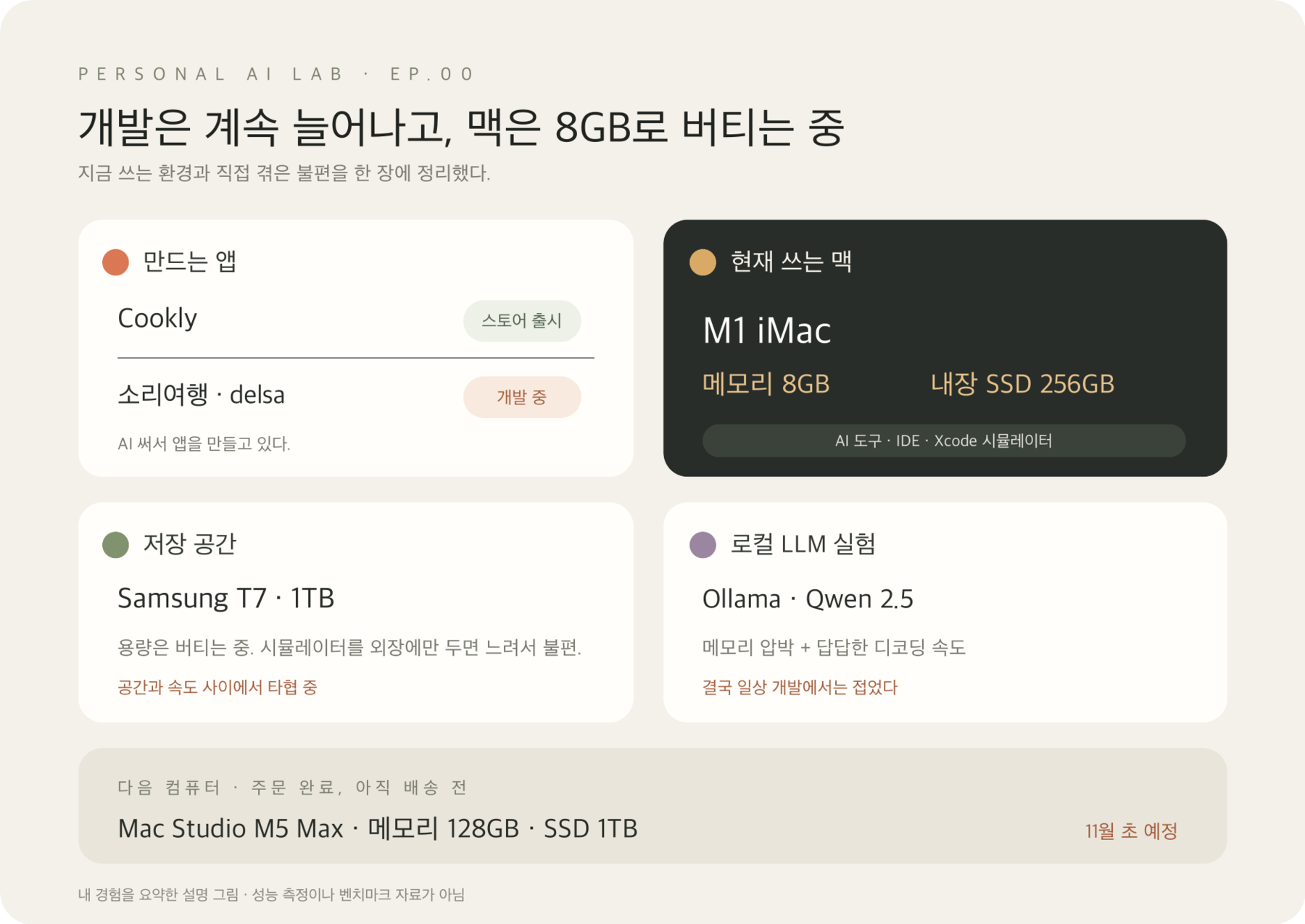
Building apps with AI on an 8GB iMac. So I ordered a Mac Studio.
Notes on building apps on an 8GB M1 iMac, an Ollama Qwen experiment, external SSD trade-offs, and my Mac Studio order.
In this post
I’m building apps with AI.
On an 8GB M1 iMac, moving between a few apps often interrupts my work. Memory is tight, and the 256GB internal SSD fills up. I’m getting by with a 1TB external SSD, but putting the simulator entirely on external storage feels too slow.
I got fed up and ordered a Mac Studio M5 Max: 128GB of memory and a 1TB SSD. Delivery is expected in early November.
Did I make the right call…?
For now, I’m collecting the messy parts of building apps, along with experiments in AI and hardware.
Apps, plus a bit of hardware tinkering
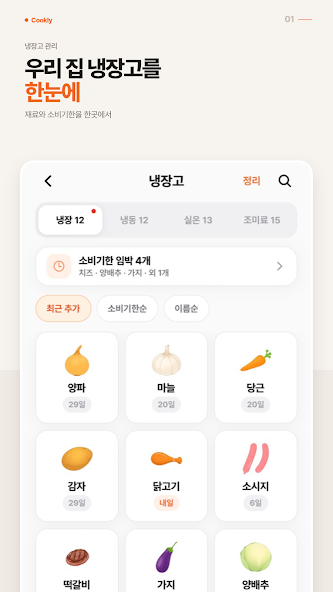
Cookly recommends recipes based on ingredients in your fridge. It’s already on the App Store and Google Play.
Words alone may not give a clear picture of the app, so here are a few screens from its Google Play listing.


I’m also working on Sound Travel (소리여행) and delsa.
I’m building several apps and trying different AI tools along the way. I thought I’d mostly be thinking about code. Instead, I’m also juggling memory and SSD space.
AI tools still keep the iMac busy
I use ChatGPT, Claude, Hermes, and Codex while building apps. Even when a tool sends model work to the cloud, the IDE, Xcode, and simulator still run on my Mac. With several things open and projects changing, I’ve felt memory pressure and seen swap increase. Work gets interrupted a lot.
I’ve had to restart a few times too, but I don’t have evidence that swap caused those restarts. I didn’t collect logs as it happened. All I can say for now is that these problems overlapped and my work kept getting interrupted.
Getting by with a 1TB external SSD
The internal SSD is 256GB. App projects and development tools leave little room, so I’m using a 1TB Samsung T7 external SSD.
It helps with storage, but using development tools such as the simulator entirely from the external SSD feels sluggish. Moving things out saves space but slows the workflow. I’m still trying to find a workable balance between capacity and speed.
I tried running Qwen in Ollama
The model still on my Ollama install is qwen2.5:1.5b-instruct-q4_K_S. I tried running it on the iMac. Memory pressure was an issue, and waiting for it to generate a response was frustrating. I eventually stopped using it for day-to-day development.
I didn’t record memory use or tokens per second, so I can’t give exact numbers. It simply didn’t fit my workflow. When the Mac Studio arrives, I’d like to try the same model again and see whether I can keep other development work open at the same time.
I’ll find out after it arrives
I ordered a Mac Studio M5 Max with 128GB of memory and a 1TB internal SSD. It’s due in early November. I haven’t even unboxed it yet, so for now I’m running on expectations.
I’m curious whether more memory will mean fewer interruptions, and whether local LLMs will become practical. I’d rather separate what I expect from what I actually find out. I’ll compare the new setup with the problems I’ve seen on this iMac.
This blog is where I’ll keep the app-building mishaps and the AI and hardware experiments. Even a disappointing result might help me decide what to try next.
What I haven’t measured
This is a record of what I experienced on my iMac. I don’t have time-series data for memory, swap, or storage, measurements of model decoding speed, or logs that explain the restarts. I can’t say that any one tool or device caused the interruptions.
When the Mac Studio arrives, I’ll try similar tasks and record memory, swap, and storage. For now, I just hope things stop getting interrupted so often.